Windows 10 Support Ends October 2025: Here’s How to Recycle Your Old PC Responsibly

Windows 10 support officially ends on October 14, 2025. After this date, Microsoft will no longer provide technical assistance, security upgrades, or any other services to support this operating system, meaning that your PC will still function, but will be more susceptible to security threats and viruses.
If you own a Windows 10 PC, you’ll need to decide what to do, and you shouldn’t wait until October to do it.
In this post, we’ll discuss upgrade options and what to do with your old PC if you elect to purchase new equipment.
What Can You Do About It?
One option that isn’t advised is to continue using your current PC because the increased risk of viruses and other security threats can significantly jeopardize the safety of your confidential data.
So, what can you do then?
Your two primary options are to install Windows 11 onto your existing PC or to purchase a new PC with Windows 11 pre-installed.
Install Windows 11

You can upgrade from Windows 10 to Windows 11 for free. However, your computer must meet the following eligibility requirements:
- A 64-bit processor with at least 2 cores
- Clock speed of at least 1 GHz
- 4GB of RAM and 64GB of storage space
- UEFI firmware
- A DirectX-compatible graphics card
One challenge with this solution is that many older computers won’t meet these requirements.
Upgrade to a New Computer
This will be the only option for older systems that don’t meet the Windows 11 eligibility requirements. However, even if your system does meet the Windows 11 requirements, IT experts suggest upgrading your computer every 3 to 5 years, so the end of Windows 10 support could present the ideal opportunity to invest in a new PC.
We get how searching for the right computer can take time. The good news is that existing Windows 10 users can enroll in Microsoft’s Extended Security Updates (ESU) program, which extends security updates — for a fee — until October 2026. This should give you plenty of time to consider your new device options.
If You’re Upgrading, Don’t Throw Your Old Computer Away
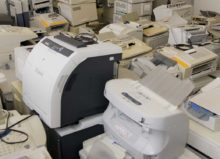
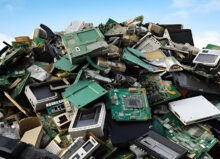
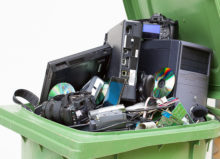
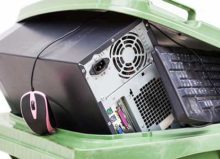
If you plan to purchase a new computer, don’t throw your old PC away. Computers are a leading source of electronic waste, or e-waste, one of the fastest-growing solid waste streams in the world. In fact, it’s estimated that about 62 million tons of e-waste were produced globally in 2022, and only about 20% of it was collected and recycled.
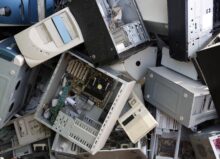
CPUs, monitors, keyboards, mice, cables, and wires may contain lead, mercury, cadmium, and other contaminants that can leach into the soil and water and cause environmental and public health risks. What’s more, many of these components within old computers can be recycled and reused, further underscoring the importance of parting with your old device responsibly.
Read more here to learn about how to prepare your old computer for recycling.
Upgrade or Recycle Your Windows 10 PC Before Support Ends
Now is the time to consider upgrading your Windows 10 PC, and if you’re planning to replace your existing computer, remember to recycle it.
High Tech Recycling accepts old computers and provides pickup services throughout the metro Detroit area. Our experts will determine which components can be reused and recycled, and which ones can’t. When you turn to us, safe disposal is always guaranteed.
Help us reduce e-waste by scheduling your pickup or by dropping off your old computer at 26 W. Ypsilanti in Pontiac, MI, during business hours (9 a.m.-5 p.m. Monday through Friday). No appointment is needed for drop-offs.